Printing Tips, Tricks & Troubleshooting Guides
Whether your printer is brand new or has been sitting in the corner for years, getting it to work exactly the way you need can involve more steps than expected. This category brings together practical guides covering everything from basic setup and troubleshooting to creative projects — featuring tips for Epson, Brother, HP, Canon, and more — so you can solve problems quickly, print smarter, and get the most out of every cartridge.
What These Guides Help You With
Printing questions come in all shapes and sizes, and this category is built to cover the full range. Whether you're dealing with a stubborn error or trying to unlock a hidden feature, you'll find straightforward answers here:
- Fix common printer errors, grinding noises, & error states
- Connect printers to computers using USB, parallel port adapters, & network sharing
- Print without certain ink colors when you're in a pinch
- Use your printer offline — no internet connection required
- Find default usernames & passwords for Brother & other brands
- Print certificates, double-sided documents, & custom decals
- Choose the right paper by measuring thickness & understanding paper types
- Score a free label printer through UPS programs, trade-ins, & online deals
Solvent vs. Inkjet, USB vs. Parallel — Understanding Your Options
Not all printers are created equal, and the differences matter depending on what you're printing. Epson solvent printers, for example, are built for durability and outdoor-grade output, while standard inkjet printers excel at everyday documents and photo printing. If you're working with an older machine that uses a parallel port, there are reliable USB adapters that can bring it back to life without replacing the whole unit.
Understanding your hardware — and knowing what it can and can't do — saves you time, money, and a lot of frustration. These guides break down the technical differences in plain language so you can make confident decisions about your setup.
Creative Projects & Hidden Printer Tricks
Your printer is capable of more than printing spreadsheets and boarding passes. With the right guidance, you can use an inkjet printer to make custom decals, print professional-looking certificates, and set up one printer to serve two computers over a single USB connection. Even connecting a soundbar to a TV while managing your home office setup is covered — because a smooth workspace goes beyond the printer itself.
Browse the guides below to find exactly what you need — your solution is just a click away.
What Is DTF Printing? A Beginner's Guide

Learn what DTF printing is, how it works, and why it's a top choice for custom apparel — a beginner-friendly guide to direct-to-film transfers. [read more]
How to Print Professional Business Cards at Home

Learn how to print professional-looking business cards at home with the right tools, paper, and design tips to make a lasting impression. [read more]
How to Print Custom Labels for Jars and Bottles
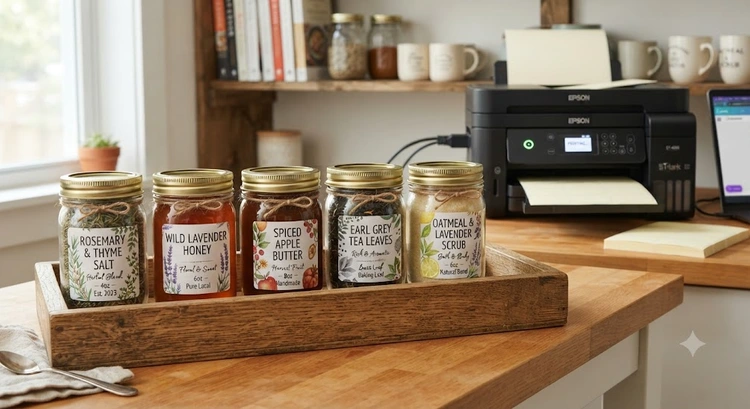
Discover how to print custom labels for jars and bottles at home with easy tools, tips, and material choices for a polished, professional look. [read more]
How to Print Waterproof Labels at Home

Learn how to print waterproof labels at home using the right materials, printers, and techniques for durable, professional-looking results every time. [read more]
How to Print on Wood with an Inkjet Printer

Discover how to print on wood with an inkjet printer using simple transfer techniques to create stunning, personalized wooden décor and gifts. [read more]
How to Print on Vellum Paper with an Inkjet Printer

Print stunning designs on vellum paper at home using your inkjet printer with these simple tips for smudge-free, professional-looking results. [read more]
How to Store Printer Ink Cartridges to Extend Their Life

Keep your ink cartridges lasting longer with simple storage tips—avoid heat, light, and dry air to prevent clogs and preserve print quality. [read more]
How to Clear a Paper Jam in Any Printer

Fix frustrating paper jams fast with our step-by-step guide covering every printer brand, so you can get back to printing in minutes. [read more]
How to Print Sublimation Transfers at Home

Learn how to print sublimation transfers at home with step-by-step guidance on equipment, ink, paper, and heat press techniques for vibrant, professional results. [read more]
What Is Sublimation Printing and How Does It Work?

Discover how sublimation printing works to create vibrant, long-lasting designs on fabric and hard surfaces using heat and special dye-infused ink. [read more]
Time to get FREE Gifts. Or latest Free printers here.
Disable Ad block to reveal all the info. Once done, hit a button below


