Last month, you needed to print a 40-page report for a meeting. Your home printer had just run out of ink, and a replacement cartridge cost nearly as much as a new printer. Sound familiar? The printer vs copy shop cost question is something almost every household and small business faces eventually. Whether you print occasionally or churn out pages daily, knowing which option actually saves money matters. Check out our printing tips hub for more guides on getting the most from your printing setup.
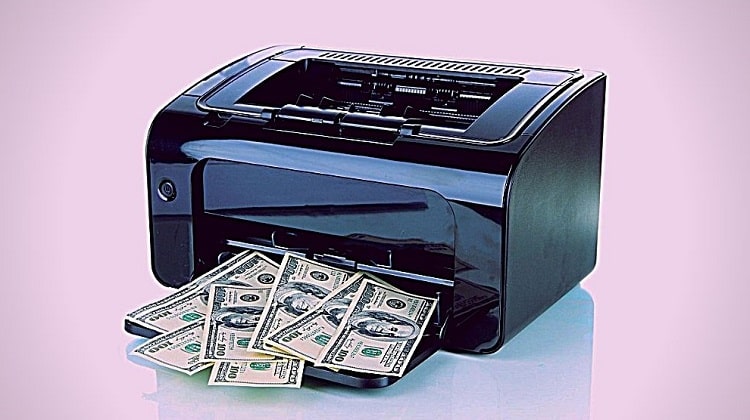
The answer isn't "just buy a printer and save forever." It depends on how much you print, what you're printing, and how well you maintain your equipment. Both options have real advantages, and the right choice depends on your situation — not a universal rule.
This guide breaks down the real numbers, walks you through a straightforward cost calculation, and gives you practical strategies to reduce your printing expenses regardless of which path you choose. By the end, you'll know exactly where your break-even point sits.
Contents
What Drives the Printer vs Copy Shop Cost Debate
The True Cost of Ink and Toner
Most people underestimate the ongoing cost of owning a printer. The hardware might look affordable on the shelf, but ink and toner are where the real expense lives. Inkjet printers often cost more per page than laser printers, especially for color output. A standard inkjet cartridge might yield 200–300 pages, while a high-yield version stretches to 500 or more — but the upfront price difference can be steep.
To find your actual per-page cost, divide the cartridge price by its rated page yield. A $35 color cartridge yielding 300 pages works out to roughly 12 cents per page in ink alone — before paper, electricity, or printer depreciation. Understanding which technology fits your volume is essential before you commit. The types of printers explained guide covers inkjet, laser, thermal, and dot matrix options so you can match the right tool to your print habits.
Before buying ink in bulk, verify that your printer model accepts third-party cartridges — some manufacturers push firmware updates that block non-OEM ink, eliminating your savings advantage entirely.
What Copy Shops Actually Charge
Copy shop pricing varies widely by location and service level. National chains typically charge 9–15 cents per black-and-white page. Color copies run anywhere from 49 cents to over $1.50 per page depending on paper size, weight, and finish. Specialty printing — cardstock, photo paper, oversized formats — costs significantly more.
The convenience factor adds hidden costs too. Every trip takes time and possibly travel expenses. If you regularly need to print postcards, marketing collateral, or photo prints, those trips accumulate fast. That said, copy shops give you access to professional-grade equipment and finishing services that most home printers simply cannot replicate — binding, lamination, and wide-format output among them.
Owning a Printer: Real Advantages and Disadvantages
Benefits of Having Your Own Printer
Owning a printer offers a level of convenience that's hard to put a price on. Need to print boarding passes at 5 AM? Done. Want a draft document reviewed in five minutes? No problem. The main advantages include:
- Immediate access — print anytime without leaving home or the office
- Lower per-page costs for consistent, high-volume printing compared to copy shops
- Full control over paper type, print quality, and finish
- Scanning, copying, and faxing capability with multifunction models
- Long-term cost efficiency for households or small businesses with steady print needs
If you regularly print certificates, labels, or specialty materials, a dedicated home printer can pay for itself relatively quickly. For instance, if your workflow includes professional certificate printing, having your own machine gives you on-demand flexibility that no copy shop visit can match — especially when timing and turnaround matter.
The Downsides You Should Know
Owning a printer isn't all upside. The hidden costs and frustrations are real, and ignoring them will skew your cost calculation:
- Ink dries out if the printer sits unused for more than a few weeks
- Cartridge replacement costs can spike unexpectedly mid-project
- Paper jams and print head clogs require maintenance time and consumables
- Entry-level inkjets often produce lower quality for photos or detailed color work
- Laser printers require a higher upfront investment that takes months to recoup
For low-volume users — anyone printing fewer than 20 pages a month — the math rarely favors owning a printer. Ink cartridges may dry out before you've used half the supply. You're effectively discarding money with every unused cartridge that gets tossed out.
If you print fewer than 20 pages a month, copy shop visits will almost always cost less than maintaining a home printer — dried-out cartridges alone can erase any per-page savings you'd otherwise gain.
How to Calculate Which Option Saves You More Money
Estimating Your Monthly Print Volume
Start by tracking how many pages you actually print in a typical month. Break it down by type: black-and-white documents, color pages, photos, and specialty media. Most people overestimate their volume, which pushes them toward buying a printer they don't truly need.
Consider what you're printing, not just how much. If you regularly need waterproof stickers, heat transfers, or large-format output, your home printer may not handle those jobs at all — making copy shop visits necessary for those tasks regardless of the overall cost comparison.
Running the Numbers Side by Side
Use this comparison to estimate where your break-even point lands. These figures are approximate and will vary by printer model, ink brand, and local copy shop rates. For additional context on how inkjet technology works, Wikipedia's overview of inkjet printing provides a useful technical foundation.
| Cost Factor | Home Inkjet Printer | Home Laser Printer | Copy Shop |
|---|---|---|---|
| B&W page cost | $0.05–$0.08 | $0.02–$0.04 | $0.09–$0.15 |
| Color page cost | $0.10–$0.20 | $0.08–$0.15 | $0.49–$1.50 |
| Photo print (4×6) | $0.15–$0.30 | Not applicable | $0.25–$0.50 |
| Monthly cost (50 B&W pages) | ~$2.50–$4.00 | ~$1.00–$2.00 | ~$4.50–$7.50 |
| Monthly cost (10 color pages) | ~$1.00–$2.00 | ~$0.80–$1.50 | ~$4.90–$15.00 |
| Typical break-even vs. copy shop | ~40–60 pages/month | ~80–100 pages/month* | N/A |
*Laser printers carry higher upfront costs ($150–$400+), so the break-even point factors in hardware amortization over a typical two-year usage period.
Keeping Your Printer in Peak Condition
Routine Maintenance That Saves You Money
A well-maintained printer lasts longer and costs less to operate. Neglect is one of the biggest factors that tips the printer vs copy shop cost calculation against home printing over time. Here's what regular upkeep looks like in practice:
- Run the printer's built-in cleaning cycle every few weeks if you don't print regularly
- Store paper in a dry location to prevent jams and humidity damage
- Use your printer at least once every 10–14 days to keep ink flowing through the heads
- Clean print heads manually when streaks or banding appear on output
- Check for firmware updates that improve performance and ink efficiency
Investing in a duplex scanning printer can cut your paper usage in half for double-sided documents — a simple hardware choice that meaningfully reduces your monthly paper costs. If you work with specialty media, our guide on printing on vellum covers how proper setup prevents wasted ink and media from a single misconfigured job.
When Repair Costs Tip the Balance
Even well-maintained printers eventually need repairs. When repair costs exceed 50% of the printer's replacement value, buying a new unit is almost always the smarter move. Common failure points include clogged print heads on inkjets, worn paper feed rollers, and failed fusers on laser models — all of which can be expensive to service professionally.
Factor in your printer's age and warranty status before committing to a repair. If the machine is more than four years old and out of warranty, using a copy shop while you research a replacement is often your most economical short-term path forward.
Practical Strategies to Cut Your Printing Costs
Maximizing Every Cartridge
Getting the most out of every cartridge is one of the simplest ways to improve your home printing economics. A few deliberate adjustments make a measurable difference without sacrificing everyday output quality:
- Switch to "draft" or "economy" mode for internal documents and proofs
- Default to grayscale printing and reserve color for final versions only
- Choose ink-efficient fonts like Arial Narrow or Century Gothic for everyday text documents
- Print double-sided whenever possible to cut paper costs by up to 50%
- Keep a backup high-yield cartridge on hand to avoid last-minute purchases at retail markup
Adjusting your document layout before hitting print also helps. Learning how to print to the edge of paper eliminates wasted margins for full-bleed output, saving you from unnecessary copy shop trips for borderless printing jobs you could handle at home.
When to Use Each Option Strategically
The smartest approach isn't "all home" or "all copy shop." A hybrid strategy works well for most households and small businesses. Knowing when to use each option is what separates efficient printers from frustrated ones:
- Use your home printer for: everyday documents, drafts, shipping labels, standard photos, and personal projects
- Use a copy shop for: large print runs, oversized formats, high-quality marketing materials, and specialty media your printer can't handle
- Batch your copy shop trips to reduce per-visit overhead and travel time
- Ask local print shops about loyalty pricing — many offer discounts for regular customers that significantly improve the per-page math
Matching the right tool to each job is the core principle behind smarter printing decisions. When you stop defaulting to one option for everything and start routing jobs based on volume, quality, and media type, both your costs and your output quality improve.
Frequently Asked Questions
How many pages per month do I need to print to justify buying a printer?
For most inkjet printers, printing at least 40–60 pages per month puts you at the break-even point compared to copy shop rates. Laser printer owners typically need 80–100 pages monthly to offset the higher hardware cost. If you print less than that consistently, a copy shop is usually more economical overall.
Are laser printers cheaper to run than inkjet printers?
Generally yes — laser printers have lower per-page costs, especially for black-and-white output, often costing just 2–4 cents per page versus 5–8 cents for inkjets. However, laser printers cost more upfront and aren't suited for photo printing, so the right choice depends on what you print most often.
Can using third-party ink cartridges meaningfully reduce my printing costs?
Yes, third-party cartridges can cost 30–60% less than OEM options. However, some manufacturers push firmware updates that block non-OEM ink, and print quality can occasionally vary between brands. Always verify compatibility with your specific printer model before committing to a third-party supplier.
Is it worth buying a printer just for occasional use?
Usually not. If you print fewer than 20 pages a month, the combination of hardware cost, dried-out cartridges, and maintenance often exceeds what you'd spend at a copy shop. For occasional printing needs, a library or local print shop is typically the smarter financial choice.
When does a copy shop always make more sense, regardless of cost?
Copy shops are the better option when you need large-format output, specialty paper types your printer can't accommodate, high-volume runs of hundreds of pages, or professional finishing services like binding or lamination. For those jobs, the quality advantage and equipment access justify the higher per-page rate.
The best printing setup isn't the one with the most features — it's the one that honestly matches your actual print volume, your budget, and the quality your work demands.



About Chris & Marry
Chris and Mary are a couple with a shared background in graphic design and print production who have spent years working with printers across creative and professional contexts — from art printing and photo output to label production and professional document work. Their combined experience evaluating printer performance, color accuracy, and paper handling across inkjet and laser platforms gives them a practical, hands-on perspective on what makes a printer worth buying. At ShopChrisAndMary, they cover printer reviews, buying guides, and recommendations for artists, photographers, and professional users.
Time to get FREE Gifts. Or latest Free printers here.
Disable Ad block to reveal all the info. Once done, hit a button below