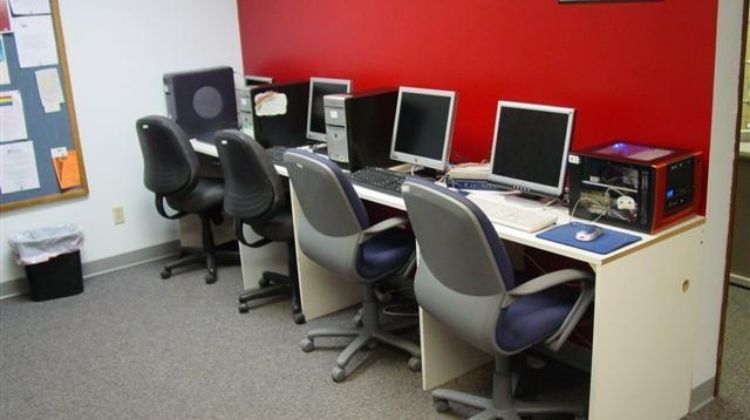
You walk into an internet cafe and notice the printer queue is backed up six people deep. The machine jams every third job, the toner is streaky, and the person behind the counter looks like they haven't slept in days. If you're setting up or upgrading an internet cafe in 2026, the printer you choose can make or break the daily experience for dozens of customers. High volume, fast throughput, and reliable wireless connectivity aren't optional — they're the baseline.
Internet cafes have unique demands that most home or even small-office printers aren't built to handle. You need something that can survive hundreds of print jobs a week without constant babysitting, supports walk-up wireless printing from customer devices, and keeps per-page costs low enough that the economics still make sense. Whether you're printing boarding passes, resumes, school assignments, or business documents, the right machine pays for itself quickly. For a broader look at commercial-grade options, check out our guide to the best printers for professionals.
We tested and reviewed the top contenders for 2026 — monochrome lasers, color lasers, and even a capable inkjet — so you can make a confident decision without wading through spec sheets alone. Here are the best printers for internet cafes this year.
Contents
Top Rated Picks of 2026
- #PreviewProductRating
- Bestseller No. 1
 Rating:

- Bestseller No. 2
 Rating:
 - Bestseller No. 3
 Rating:
 - Bestseller No. 4
 Rating:
 - Bestseller No. 5
 Rating:
In-Depth Reviews
1. Canon imageCLASS MF455dw — Best Overall for High-Volume Monochrome
The Canon imageCLASS MF455dw is the workhorse your internet cafe has been waiting for. At 40 pages per minute, it moves through black-and-white print jobs faster than almost any machine in its price class, which means your customers spend less time waiting and you spend less time fielding complaints. That speed is consistent — it doesn't only hit 40 ppm on the first page and slow down after that. Canon's engine is rated for sustained performance, and in a busy cafe environment that distinction matters enormously.
Paper capacity is a genuine strength here. With a 900-sheet maximum capacity, you can load up the trays in the morning and largely forget about them until the next day, even during heavy traffic. The printer handles paper sizes up to 8.5" x 14", so legal-size documents, tax forms, and government paperwork aren't a problem — and those are exactly the kinds of jobs customers bring to internet cafes. Duplex printing is automatic, which keeps paper costs down and satisfies customers who want two-sided output without an extra charge.
Wireless connectivity is solid, with both Wi-Fi and mobile-ready support so customers can send jobs directly from their phones. The scanner and fax functions round out a genuinely capable all-in-one package. Canon backs this with a 3-year warranty, which is unusually generous for this category and signals real confidence in the hardware's longevity. Setup is straightforward, and the auto document feeder handles multi-page scans without you standing over the glass. If you only ever buy one printer for your cafe, this is the one to start with.
Pros:
- Industry-leading 40 ppm print speed for monochrome jobs
- 900-sheet max paper capacity reduces refill interruptions
- 3-year warranty provides exceptional long-term value
- Prints up to legal size (8.5" x 14")
Cons:
- Monochrome only — no color printing
- Larger footprint than some compact alternatives
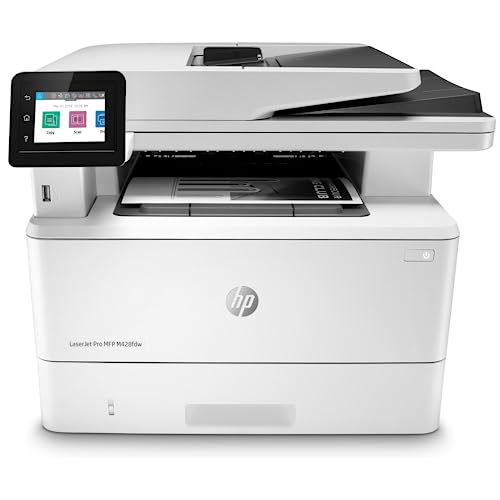
2. HP LaserJet Pro MFP M428fdw — Best for Security-Conscious Cafes
If your internet cafe handles sensitive customer documents — tax filings, legal paperwork, financial statements — the HP LaserJet Pro MFP M428fdw brings something most printers in this category don't: enterprise-grade security built into the hardware itself. HP Wolf Pro Security isn't a software add-on you can forget to update; it's embedded in the printer's firmware and operating system. That means protection against firmware tampering, unauthorized access, and data interception runs continuously in the background without you managing it. For a shared-use environment where dozens of strangers send documents through the same machine, that's not a small thing.
Performance-wise, this HP holds its own comfortably. Wireless printing, built-in Ethernet, and automatic two-sided printing cover the core requirements of any cafe setup. The customizable control panel lets you automate repetitive workflows — something that saves real time when your staff is handling a line of customers. The interface is intuitive enough that even non-technical operators can navigate settings quickly, and the touchscreen display is responsive and well-organized.
Print quality is sharp and consistent for business documents, and the machine handles a reasonable volume daily without complaint. The built-in Ethernet port is a practical bonus for cafes that run wired networks alongside Wi-Fi — it gives you a stable fallback connection that won't drop during peak hours. Compared to the Canon MF455dw, the HP trades a bit of raw speed for broader security features and workflow automation. If your customers regularly print confidential documents and you want to be able to honestly tell them the hardware is protecting their data, this is the printer that earns that claim. If you're also interested in duplex scanning features, our best duplex scanning printer guide covers the options in more depth.
Pros:
- HP Wolf Pro Security protects against firmware and data attacks
- Built-in Ethernet for reliable wired network connection
- Customizable control panel for workflow automation
- Solid print quality for business and official documents
Cons:
- Monochrome only — no color output
- Slightly slower than the Canon MF455dw at peak throughput
3. HP OfficeJet Pro 9125e — Best Color Inkjet for Mixed Document Needs
Not every internet cafe runs exclusively on black-and-white document printing. If your customers regularly need color output — presentations, brochures, event flyers, school projects, or photos — the HP OfficeJet Pro 9125e is the machine that fills that gap without requiring a dedicated color laser. At 22 ppm black and 18 ppm color, it moves faster than most inkjets at this price point and delivers genuinely professional-quality color output that customers will notice positively. The print quality on presentations and formatted documents is crisp, and colors are accurate enough for marketing materials.
One feature that sets the 9125e apart for a cafe environment is HP AI-assisted printing. When customers print web pages or emails — two of the most common print jobs in any cafe — the AI removes unwanted content, cleans up formatting, and ensures pages print correctly without waste. That directly reduces paper consumption and eliminates the frustrating experience of printing a web page that comes out as three half-pages of advertisements and navigation bars. Customers will appreciate getting exactly what they expected, and you'll appreciate the reduction in wasted paper.
The auto document feeder, auto 2-sided printing, and 250-sheet input tray keep this machine practical for volume use. The 3-month Instant Ink trial included at purchase lets you evaluate HP's subscription ink model before committing to it. For a cafe running mixed color and monochrome jobs throughout the day, the 9125e gives you full-spectrum output capability in a single machine. The trade-off is that inkjet running costs per page are higher than laser — but if color output is a meaningful part of your service offering, the revenue potential offsets that difference. This is the choice if color printing is a core part of your business model.
Pros:
- Professional color output at 18 ppm — fast for an inkjet
- HP AI cleans up web and email prints automatically
- Auto 2-sided printing and auto document feeder included
- 3-month Instant Ink trial reduces initial ink costs
Cons:
- Higher per-page cost than laser alternatives
- Inkjet heads require regular use to prevent clogging
4. Brother MFC-L8930CDW — Best Color Laser for High-Volume Color Printing
When your cafe does enough color printing that inkjet costs become a real budget problem, the Brother MFC-L8930CDW is the answer. This is a full color laser all-in-one that prints at 33 pages per minute in both color and black — a speed that puts it in the same league as the monochrome machines in this lineup. That consistency across color and black jobs means you're not penalized for running a color-capable machine; your throughput stays high regardless of what customers are sending to the queue.
The economics of this machine deserve attention. Brother includes genuine 3,000-page black and 1,800-page color standard yield toner cartridges in the box, which means you're not spending money on consumables immediately after purchase. When you do replace toner, the TN635XXL super high yield cartridges offer 7,500 pages for black and 6,500 pages for color — those are exceptional yields that drive per-page costs down significantly over time. For a cafe printing hundreds of pages daily, that cost structure translates directly to profit margin. Our roundup of the best color laser printers for photos provides additional context on color laser output quality if you need more detail on print fidelity.
The scanning capabilities here are serious. High-speed two-sided scanning at up to 104 images per minute with an 80-page auto document feeder handles large multi-page scan jobs without slowing the queue. Customers who need to digitize documents — contracts, applications, reference materials — get a fast, clean result. Scan-to-cloud, scan-to-email, and scan-to-SharePoint options work directly from the touchscreen, which adds real value for business customers. The compact redesign is 25% smaller than the previous model, so it takes up less counter space without sacrificing capability. If you want color laser performance without laser-sized running costs, this is the machine that delivers it.
Pros:
- 33 ppm color AND black — no speed penalty for color jobs
- Included toner covers thousands of pages out of the box
- Super high yield replacement toner dramatically lowers per-page cost
- 104 ipm duplex scanning with 80-page ADF
- 25% more compact than the previous model
Cons:
- Higher upfront cost than monochrome alternatives
- Color toner replacement involves four separate cartridges
5. Canon Color imageCLASS MF743Cdw — Best for Cafes Prioritizing Customer Self-Service
The Canon Color imageCLASS MF743Cdw occupies a compelling position: a full color laser all-in-one with a touchscreen interface that feels intuitive enough for walk-up customers to use without staff assistance. The 5-inch color touchscreen with smartphone-like usability is genuinely easy to navigate, and the Application Library lets you customize the interface to show exactly the functions your customers use most. In a busy cafe where staff can't hover over the printer for every job, a machine that customers can operate confidently on their own is a real operational asset.
The Wi-Fi Direct feature is particularly useful in an internet cafe context. Customers can create a direct connection between their mobile device and the printer without going through your router or network — which means mobile printing works even when the main network is congested, and it eliminates the security concern of customers' devices joining your primary network. Canon's NFC (Near Field Communication) support takes this a step further, allowing tap-to-print from compatible Android devices. That level of mobile integration is something your customers will use and remember positively.
Canon's signature reliability shines through in the MF743Cdw. The one-pass duplex document feeder scans both sides of a page simultaneously, which cuts scan time roughly in half for double-sided originals. First-print time is as fast as 10.3 seconds, so the machine is ready to go almost instantly when a customer approaches. The intuitive maintenance videos built into the interface mean your staff can handle routine tasks like toner replacement without calling for technical support. Canon backs this with a 3-year warranty. For a cafe where the printer is the product and the customer experience around it matters, the MF743Cdw delivers on every front. Take a look at our best laser printers for PCB article if you're interested in understanding laser print precision in more demanding technical applications.
Pros:
- 5-inch touchscreen enables true customer self-service
- Wi-Fi Direct and NFC for seamless mobile printing without network access
- One-pass duplex scanning cuts scan time in half
- 3-year warranty and built-in maintenance video guides
Cons:
- Print speed is lower than the Brother MFC-L8930CDW at peak volume
- Color toner costs can add up in high-volume color environments
Choosing the Right Printer for an Internet Cafe: A Buying Guide
Buying a printer for an internet cafe is a fundamentally different decision from buying one for a home office or even a small business. The volume, the user pool, and the operational constraints are all different. Here's what actually matters when you're evaluating options in 2026.
Print Speed and Duty Cycle
In a home office, 20 pages per minute is plenty. In a cafe that sees 40 customers on a Tuesday, it isn't. Print speed measured in pages per minute (ppm) tells you how fast the machine prints once it's warmed up, but monthly duty cycle tells you how much volume the machine is designed to handle reliably. Check the manufacturer's recommended monthly page volume — not the maximum — and compare it against your realistic daily output. A machine rated for 2,000 recommended pages per month running 3,000 pages will wear out faster than expected. The Canon MF455dw and Brother MFC-L8930CDW are both engineered for sustained business-level workloads.
Monochrome vs. Color
This is the most consequential decision you'll make. Monochrome laser printers are faster, cheaper per page, and more reliable under heavy use. If 90% of your customers are printing documents, forms, and text-based files, a monochrome machine like the Canon MF455dw or HP M428fdw is the economical choice and you should own one regardless. Color adds versatility — and customers who need color output will pay a premium for it — but the per-page cost for color laser is measurably higher than monochrome, and color inkjet is higher still. Many successful cafes run a monochrome laser as their primary machine and a color printer as a secondary option, charging different rates for each. According to Wikipedia's overview of laser printing technology, laser printers produce output by fusing toner to paper with heat — a process that's inherently more durable and cost-stable at volume than inkjet alternatives.
Wireless Connectivity and Mobile Printing
Your customers are going to try to print from their phones. This isn't a future consideration — it's happening right now, and if your printer doesn't support it cleanly, you create friction and frustration that reflects poorly on your business. Look for printers with Wi-Fi Direct, Apple AirPrint, Android printing support, and ideally NFC. The Canon MF743Cdw and the HP OfficeJet Pro 9125e are both strong here. Beyond mobile, built-in Ethernet matters if you're running a wired network — the HP M428fdw includes it, and it provides a more stable connection than Wi-Fi in congested environments with many devices.
Paper Capacity and Operational Overhead
Refilling paper is a hidden labor cost. Every time a staff member has to stop what they're doing to reload a 250-sheet tray in the middle of a busy period, you're paying for that interruption. Look for machines with larger input trays — 500 sheets minimum — and the ability to add optional high-capacity trays. The Canon MF455dw's 900-sheet maximum is exceptional for this reason. Similarly, high-yield toner cartridges reduce how often you're ordering and swapping consumables. The Brother MFC-L8930CDW's super high yield options are a genuine operational advantage in a high-volume environment. If you handle a lot of multi-page originals for scanning, an auto document feeder with at least 50-sheet capacity will save your staff significant time every single day.
What People Ask
What is the best type of printer for an internet cafe?
A monochrome laser printer is the best foundation for most internet cafes. Laser printers deliver lower per-page costs, faster print speeds, and greater reliability under continuous use than inkjet alternatives. If your business also serves customers who need color output, add a color laser or high-quality color inkjet as a secondary machine. The Canon imageCLASS MF455dw is the best single-machine choice for primarily monochrome environments in 2026.
How many pages per minute do I need for an internet cafe?
For a standard internet cafe with moderate to heavy traffic, aim for at least 30 ppm. Printers below that threshold create noticeable wait times during busy periods, which frustrates customers and slows your throughput. The Canon MF455dw at 40 ppm and the Brother MFC-L8930CDW at 33 ppm both clear that bar comfortably. If you see fewer than 50 print jobs per day, a 20–25 ppm machine may suffice, but it's worth spending slightly more for the headroom.
Should I get a monochrome or color printer for my cafe?
Get both if your budget allows. Run a monochrome laser as your primary machine for the bulk of document printing — the per-page cost is significantly lower, and the speed and reliability are better. Offer color printing as a premium service at a higher per-page rate using a color laser or inkjet as your secondary machine. If you can only buy one printer, choose based on what your customers actually need. Primarily documents and forms? Go monochrome. Regular requests for color output? Invest in color from the start.
What paper capacity should an internet cafe printer have?
You need a minimum of 500 sheets of input capacity, and more is better. A 250-sheet tray runs out quickly during a busy morning, forcing constant staff interruptions. Look for printers with at least one 500-sheet standard tray, or machines that support optional high-capacity trays. The Canon MF455dw's 900-sheet maximum capacity is ideal for high-traffic environments. Also look for multi-tray setups so you can keep different paper sizes loaded simultaneously — letter and legal, for example.
Do internet cafe printers need to support mobile printing?
Yes, without question. Customers increasingly arrive with documents on their phones or tablets and expect to print directly from their devices. Printers without Wi-Fi Direct, AirPrint, or Android printing support create friction and turn away business. The Canon Color imageCLASS MF743Cdw goes furthest here with NFC tap-to-print support. At minimum, your printer should support both Apple AirPrint and Android printing via Wi-Fi Direct. Check this specification before purchasing — it's not universally included even on business-grade machines.
How do I keep printing costs low in an internet cafe?
Three things control your per-page printing costs: the machine you buy, the toner or ink cartridges you use, and how you price your services. Choose a laser printer over inkjet for document printing — laser toner costs significantly less per page at volume. Buy high-yield or super high-yield cartridges rather than standard yield; the upfront cost is higher but the per-page cost drops substantially. The Brother MFC-L8930CDW's TN635XXL cartridges are a good example of this. Finally, price your services accurately — factor in paper, toner, machine depreciation, and maintenance when setting per-page rates so you're covering real costs and generating margin.
Buy on Walmart
- Canon imageCLASS MF455dw - Monochrome Duplex, Wireless All-i — Walmart Link
- HP LaserJet Pro MFP M428fdw Wireless Monochrome All-in-One P — Walmart Link
- HP OfficeJet Pro 9125e Wireless All-in-One Color Inkjet Prin — Walmart Link
- Brother MFC-L8930CDW Business Color Laser All-in-One Printer — Walmart Link
- Color imageCLASS MF743Cdw - All-in-One, Wireless, Mobile-Rea — Walmart Link
Buy on eBay
- Canon imageCLASS MF455dw - Monochrome Duplex, Wireless All-i — eBay Link
- HP LaserJet Pro MFP M428fdw Wireless Monochrome All-in-One P — eBay Link
- HP OfficeJet Pro 9125e Wireless All-in-One Color Inkjet Prin — eBay Link
- Brother MFC-L8930CDW Business Color Laser All-in-One Printer — eBay Link
- Color imageCLASS MF743Cdw - All-in-One, Wireless, Mobile-Rea — eBay Link
Next Steps
- Identify your primary print type. Decide whether your customers mostly need monochrome documents or color output — this single decision narrows your choice to two or three machines immediately.
- Check current prices on Amazon. Printer prices fluctuate regularly. Click through to the Canon MF455dw, Brother MFC-L8930CDW, or whichever model fits your needs and check today's price and availability before your competitor does.
- Calculate your monthly volume. Estimate how many pages you print per day across a typical week, multiply by 30, and compare against each printer's recommended monthly duty cycle to make sure you're not buying an underpowered machine.
- Verify mobile printing compatibility. If you plan to accept print jobs from customer smartphones, confirm that the model you choose supports AirPrint and Android printing — then test it with a personal device before putting it into service.
- Set your per-page pricing before launch. Factor in toner yield, paper cost, and machine depreciation to arrive at a per-page rate that covers your costs and generates profit. For color printing, price separately from monochrome and account for the higher consumable cost.



About Chris & Marry
Chris and Mary are a couple with a shared background in graphic design and print production who have spent years working with printers across creative and professional contexts — from art printing and photo output to label production and professional document work. Their combined experience evaluating printer performance, color accuracy, and paper handling across inkjet and laser platforms gives them a practical, hands-on perspective on what makes a printer worth buying. At ShopChrisAndMary, they cover printer reviews, buying guides, and recommendations for artists, photographers, and professional users.
Time to get FREE Gifts. Or latest Free printers here.
Disable Ad block to reveal all the info. Once done, hit a button below