You can learn how to print waterproof stickers at home right now — all you need is waterproof sticker paper, a compatible inkjet or laser printer, and a protective topcoat. The process takes under 30 minutes from design to finished sticker, and your existing printer is almost certainly capable. Whether you're labeling water bottles, packaging handmade products, or making outdoor decals, the fundamentals are the same. For dedicated hardware beyond a desktop printer, browse our full label makers category for purpose-built options.
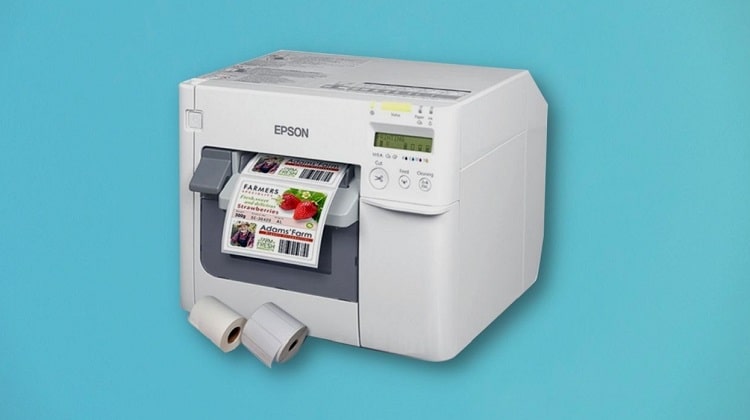
The secret to waterproof stickers isn't an expensive printer — it's the right combination of media and sealant. Your Epson, HP, Canon, or Brother printer handles waterproof sticker paper the same way it handles glossy photo paper. Once you understand that distinction, the whole project clicks into place. The results rival what you'd pay for at a professional print shop.
This guide covers every part of the process: use cases, material selection, printer settings, sealing methods, common mistakes, and real costs. If you also work with transparent media, our companion guide on how to print on clear sticker paper covers techniques that apply directly here too.
Contents
- Where Waterproof Stickers Really Shine
- Busting the Biggest Myths About How to Print Waterproof Stickers
- Inkjet vs. Laser: A Direct Comparison
- Real-World Projects That Prove It Works
- Pro Tips for Crisp, Long-Lasting Results
- Mistakes That Ruin Waterproof Sticker Prints
- What It Actually Costs to Print Waterproof Stickers
- Frequently Asked Questions
- Final Thoughts
Where Waterproof Stickers Really Shine
Before diving into the how-to, it's worth knowing exactly where waterproof stickers outperform standard paper stickers. The answer: anywhere moisture, heat, or heavy handling is involved. Understanding your use case up front helps you choose the right paper and seal method from the start — and saves you from a frustrating first batch.
Outdoor and Weather-Exposed Applications
Outdoor stickers face rain, UV exposure, and temperature swings. Regular paper stickers peel, fade, and disintegrate within days outside. Waterproof sticker paper — especially vinyl-based stock — handles all of that without breaking down.
- Bumper stickers and car decals
- Outdoor equipment labels (bikes, kayaks, toolboxes)
- Plant markers and garden stakes
- Mailbox and window decals
- Sporting equipment identification tags
For outdoor use, vinyl sticker paper is the clear winner. It's flexible, UV-resistant, and holds up to washing and scrubbing. Polyester-based papers are a close second for flat, rigid surfaces where flexibility isn't needed.
Product Labels and Small Business Packaging
If you sell handmade soaps, candles, hot sauces, or skincare products, waterproof labels are non-negotiable. Your label will encounter condensation, oil, and wet hands the moment a customer opens the package. A label that dissolves or peels in a customer's hands reflects badly on your brand — regardless of how good the product is.
- Bath and body product labels
- Food and beverage packaging
- Candle jar and tin labels
- Supplement and health product stickers
- Shipping and return address labels
Small businesses using a standard inkjet printer with matte or gloss waterproof paper can produce labels that look completely professional. You don't need to outsource this. According to Wikipedia's overview of pressure-sensitive adhesives, permanent adhesive formulations are specifically engineered for moisture-exposed surfaces — which is exactly what you want in a product label that survives refrigeration, condensation, and handling.
Craft and DIY Projects
Crafters use waterproof stickers on tumblers, resin art, fabric, and scrapbook projects that get handled constantly. These stickers need to survive contact, washing, and time. If you enjoy digital paper crafts alongside sticker making, our guide on how to print digital scrapbook paper easily covers compatible print settings and paper types with significant overlap. For fabric and transfer applications, check out our guide on how to print on iron-on transfer paper — another craft printing format worth having in your skill set.
- Tumbler and water bottle decals
- Planner and journal stickers
- Custom sticker packs for selling or gifting
- Resin and polymer clay embellishments
Busting the Biggest Myths About How to Print Waterproof Stickers
A lot of bad advice floats around about printing waterproof stickers. These myths stop people from trying or push them toward unnecessary spending. Here's the truth behind the three most common ones.
Myth 1 — You Need a Special Printer
You don't. Any standard inkjet or laser printer prints on waterproof sticker paper. The paper does the heavy lifting. Your Epson, Canon, HP, or Brother printer handles waterproof media just like it handles glossy photo paper — you just need to select the correct media type in your print dialog. The printer doesn't need to "know" the paper is waterproof. It just prints.
The only real exception: if you want solvent-based printing for extreme outdoor durability (think vinyl signage for years of outdoor exposure), you'd need a wide-format solvent printer. For home and small business sticker work, your existing printer is more than capable. No upgrade required.
Myth 2 — All Waterproof Sticker Paper Is the Same
This myth causes real problems. Waterproof sticker paper comes in several distinct types, and choosing the wrong one significantly affects print quality, adhesion, and durability.
- White gloss vinyl — vibrant colors, best for product labels and bold sticker designs
- White matte vinyl — writable surface, reduced glare, better for text-heavy labels
- Clear gloss or matte vinyl — "no-label" look, ideal for glass jars and transparent containers
- Kraft brown sticker paper — rustic aesthetic, popular for artisan product branding
- Holographic or foil stock — eye-catching finish, best for display stickers and packaging accents
- Polyester (PET) — heat-resistant, used near high-temperature environments
Each surface type interacts differently with inkjet ink versus laser toner. Always check the paper manufacturer's compatibility specs before buying a bulk pack.
Myth 3 — Lamination Always Adds Too Much Bulk
Modern lamination sheets designed for home printers are thin — often under 3 mil. You can laminate a full sheet of printed stickers and still cut them cleanly with scissors or a craft knife. The result is a sticker that's scratch-proof, smudge-proof, and waterproof on all surfaces including the printed face. The perceived bulk issue usually comes from using overly thick laminate rolls intended for document preservation, not sticker finishing.
Pro tip: Use a 2.5-mil laminate for stickers applied to curved surfaces like water bottles or tumblers — thicker laminates crack along the curve within days.
Inkjet vs. Laser: A Direct Comparison
Choosing between inkjet and laser affects your results more than most people realize. Both work for printing waterproof stickers, but they have genuine differences worth understanding before you commit to a paper purchase or printer upgrade.
Print Quality and Color Accuracy
Inkjet printers produce richer, more vibrant colors on glossy media. They're the better choice for stickers featuring photographic images or gradient-heavy designs. Laser printers produce sharper text and finer lines, making them the stronger pick for product labels with dense small type. For photo-based sticker designs, our guide on how to print photos in Windows 10 covers color profile and resolution settings that apply directly to sticker design files.
Water Resistance Without Sealing
Laser toner is naturally more water-resistant than inkjet dye ink because toner is heat-fused directly onto the paper surface. Inkjet pigment inks are more water-resistant than dye-based inks but still benefit from a topcoat. This matters when you're deciding how rigorously to seal your finished prints.
| Feature | Inkjet Printer | Laser Printer |
|---|---|---|
| Color vibrancy | Excellent — ideal for photos and gradients | Good — slightly flatter on glossy media |
| Text sharpness | Good | Excellent — crisp fine lines and small type |
| Water resistance (unsealed) | Low (dye ink) to moderate (pigment ink) | High — toner is heat-fused to surface |
| Compatible sticker paper | Inkjet-specific or universal stock | Laser-safe only — heat-resistant media required |
| Hardware cost | Lower upfront, higher ink cost per page | Higher upfront, lower toner cost at volume |
| Best suited for | Craft stickers, image-based product labels | High-volume text labels, professional packaging |
Bottom line: For most home users printing sticker packs or product labels in small batches, an inkjet printer with pigment ink plus a gloss laminate topcoat delivers the best overall results. Laser printers make more financial sense for high-volume, text-heavy label production runs.
Real-World Projects That Prove It Works
Knowing how to print waterproof stickers is one thing. Seeing what's actually achievable with home equipment calibrates your expectations — and removes any remaining hesitation about getting started.
Custom Water Bottle Labels
This is the most popular use case for home-printed waterproof stickers. You design a label in Canva or Illustrator, print it on white gloss vinyl paper, apply a matte laminate, and trim it to size. The label survives dishwasher cycles on the top rack, daily condensation from cold drinks, and months of regular use without peeling, fading, or lifting at the edges.
Key tips for water bottle labels specifically:
- Size your label to wrap with at least 5mm of overlap at the seam
- Use matte laminate to prevent a bubble effect on curved surfaces
- Let the ink dry for at least 30 minutes before laminating — inkjet ink needs time
- Apply the label only to a clean, completely dry surface for full adhesion
- Burnish the edges down with your fingernail after application to prevent lifting
Outdoor Gear and Equipment Tags
Hikers, cyclists, and kayakers use custom waterproof stickers to mark equipment, identify gear at crowded trailheads, and display QR codes linking to owner contact information. These stickers live permanently outdoors and must handle UV, abrasion, rain, and temperature swings. With vinyl sticker paper and a UV-resistant topcoat spray, home-printed stickers easily survive two or more seasons of active outdoor exposure.
For gear tags that need a borderless, professional look, our guide on how to print to the edge of paper explains how to eliminate white margins — a technique that makes stickers look significantly more finished and intentional.
Handmade Product Packaging
Etsy sellers and independent makers who print waterproof sticker labels at home save meaningful money compared to outsourcing. A $30 pack of 50 letter-size vinyl sticker sheets yields approximately 200–500 individual product labels depending on the label size. That same quantity from a print shop typically costs $80–$150. The trade-off is time — but if you're already investing hours into your handmade products, adding 20 minutes per batch for labels is minimal overhead with real cost savings.
Pro Tips for Crisp, Long-Lasting Results
These are the tips that separate mediocre sticker prints from ones that look like they came off a commercial press. Get all three right and your results will be consistent every time.
Pick the Right Paper for Your Use Case
Paper choice is the single most important decision in this entire process. Here's how to match paper type to your project without overthinking it:
- White gloss vinyl — use for product labels and sticker packs where color vibrancy is the priority
- White matte vinyl — use when the sticker needs to be written on, or when you want to avoid glare
- Clear gloss vinyl — use for a "printed directly on the surface" look on glass bottles and jars
- Polyester (PET) — use for high-temp environments, industrial equipment, or near heat sources
- Kraft sticker paper — use when a brown-paper artisan aesthetic fits your branding
Always buy paper explicitly labeled for your printer type. Using laser-only paper in an inkjet printer causes smearing. Using inkjet-rated paper in a laser printer is a fire risk — laser printers run hot enough to melt or warp media not designed for heat exposure. Our guide on how to print on glossy paper covers additional settings adjustments that apply directly to gloss vinyl sticker paper.
Seal Strategically
Sealing protects your printed surface and makes your sticker truly waterproof — not just water-resistant. You have three reliable sealing methods:
- Self-adhesive laminate sheets — easiest application, cleanest result for flat or gently curved stickers; available at craft stores and Amazon
- Spray laminate (Krylon Crystal Clear or Mod Podge Spray) — better for complex shapes and die-cut stickers; apply in thin, even coats from 12 inches away
- Brush-on liquid laminate — most control over coverage, but risks visible brush strokes if not applied carefully with a foam applicator
For inkjet prints, always use a water-based topcoat first. Solvent-based sprays can partially dissolve dye-based inkjet inks before they've fully cured. Pigment ink printers (Epson EcoTank, Canon PIXMA Pro series) give you more flexibility with topcoat chemistry, but water-based is still the safest default.
Dial In Your Printer Settings
Wrong printer settings cause muddy colors, slow dry times, and wasted sticker sheets. Set these options before every waterproof sticker print job:
- Media type: select "Glossy Photo Paper," "Heavy Glossy," or "Premium Photo" — never use "Plain Paper"
- Print quality: use "Best" or "Photo" mode — not "Draft" or "Normal"
- Color profile: sRGB works well for most designs; use Adobe RGB if your design software supports it and your printer driver offers it
- Paper size: match your sticker sheet dimensions exactly to prevent any scaling or cropping
Always check the print preview before committing. A sticker sheet costs real money — one wasted sheet from a scaling error is completely avoidable. For a step-by-step walkthrough of print dialog options in Windows, our guide on how to print free printables at home is a practical companion resource.
Mistakes That Ruin Waterproof Sticker Prints
These errors show up repeatedly across craft forums, Etsy seller groups, and maker communities. Avoid them and you'll be ahead of most first-timers before you've even printed your first sheet.
Skipping the Topcoat Entirely
This is the most common and most damaging mistake beginners make. Many people assume that "waterproof sticker paper" means the ink is also waterproof. It isn't. The paper substrate repels water — the ink layer on top does not. Without a topcoat, an inkjet-printed sticker will smear, streak, and bleed the moment it contacts moisture. The laminate or spray coat is what encapsulates the ink and makes the complete sticker truly waterproof.
Laser prints are more forgiving since toner is heat-fused into the paper surface, but even laser-printed stickers benefit from a topcoat for scratch resistance, UV protection, and extended life under handling.
Using the Wrong Paper Type
Buying inkjet sticker paper and loading it into a laser printer is a fast way to jam your printer or cause overheating damage. Similarly, using paper rated for dye-ink inkjet printers with a pigment-ink printer can produce washed-out, uneven results if the paper coating isn't formulated for pigment absorption.
- Always verify: inkjet versus laser compatibility
- Always verify: dye ink versus pigment ink coating type
- Always verify: finish (matte, gloss, satin) matches your design intent
Stick with brands that publish clear compatibility charts. Koala, Avery, Printworks, and Silhouette all specify printer and ink type compatibility on their packaging and product pages. When in doubt, buy a small sample pack before committing to a bulk order.
Cutting Too Soon After Printing
Inkjet ink needs time to cure before you handle it aggressively. Cutting immediately after printing smears wet ink along the cut edge and can cause cracking along scored fold lines. If you're using a Cricut or Silhouette cutting machine, this issue is amplified — blade pressure on wet ink causes streaking and surface damage.
- Dye-based ink: wait 30–60 minutes before laminating or cutting
- Pigment-based ink: wait 15–30 minutes before laminating or cutting
- After applying laminate sheets: wait an additional 5 minutes for adhesive to bond before cutting
Set a timer. It sounds unnecessary, but this is the step most people skip when they're eager to see the finished result — and it's where otherwise perfect prints get ruined in the final minute of the process.
What It Actually Costs to Print Waterproof Stickers
Cost is usually the deciding factor between printing at home and outsourcing to a print service. Here's an honest breakdown so you can make the right call for your volume and budget.
DIY Home Printing Costs
Your startup cost depends entirely on whether you already own a compatible printer. If you do, your ongoing costs are just paper and sealant.
- Waterproof sticker paper: $15–$35 for 50 letter-size sheets
- Self-adhesive laminate sheets: $10–$20 for 50 sheets (letter size)
- Spray laminate: $8–$12 per can (covers approximately 30–40 printed sheets)
- Ink cost per sheet: $0.10–$0.50 depending on printer model and design coverage
- Estimated cost per 2"×2" sticker: $0.08–$0.25 at typical sheet yield
At that per-unit cost, 100 stickers runs roughly $8–$25 total — assuming you already own the printer. That's difficult to match with any outside service. If you need a new printer, a capable inkjet model for sticker printing starts at $80–$150 for a reliable entry-level unit.
Outsourcing to a Print Shop
Print services like StickerMule, Sticker Giant, and VistaPrint deliver excellent quality — but pricing scales very differently from DIY:
- 100 stickers (2"×2"): $30–$80 depending on finish and service
- 500 stickers: $60–$130 (per-unit cost drops significantly at volume)
- Custom die-cut shapes: add 20–40% to the base price
- Rush turnaround (3–5 business days): add $15–$30 to any order
Outsourcing makes sense when you need quantities above 500, require professional die-cutting, or want finishes like spot UV, foil, or embossing that aren't achievable at home. For anything under 200 stickers, printing at home wins on cost without question. For small batches of specialized sticker formats, you might also find our guide on how to print on both sides of paper for HP printers useful for producing folded sticker instruction cards or backing cards to package with your sticker sets.
Frequently Asked Questions
Can any inkjet printer print waterproof stickers?
Yes. Any inkjet printer — including budget models from HP, Epson, Canon, and Brother — prints on waterproof sticker paper without modification. The key adjustment is setting the media type to "Glossy Photo Paper" or an equivalent heavy-media setting in your printer dialog. The waterproof quality comes from the paper substrate and topcoat, not from the printer itself. Higher-end inkjet printers with pigment ink produce more water-resistant prints before sealing, but all inkjet printers work for this purpose.
Do I need a cutting machine to make waterproof stickers?
No. Standard scissors or a craft knife and cutting mat work well for most sticker shapes. A metal ruler and rotary cutter give cleaner straight edges than scissors alone. Cutting machines like a Cricut or Silhouette add precision for complex custom shapes and high-volume cutting, but they're not a requirement. If you're cutting by hand, wait for the ink and laminate to fully cure before starting — this makes edges cleaner and prevents smearing.
How long do home-printed waterproof stickers last?
With the right materials, home-printed waterproof stickers last 2–5 years outdoors and longer in protected indoor environments. Vinyl sticker paper with a UV-resistant laminate or spray topcoat is the most durable combination available for home printing. The biggest factors affecting longevity are UV exposure intensity, adhesive quality, and whether the sticker was applied to a clean, dry surface. Properly made stickers survive hundreds of hand washes on tumblers and top-rack dishwasher cycles on water bottles.
What is the difference between waterproof sticker paper and regular sticker paper?
Regular sticker paper uses a paper-based substrate that absorbs moisture and breaks apart when wet. Waterproof sticker paper uses a vinyl or polyester substrate that repels water entirely. The adhesive is also formulated differently — waterproof sticker paper uses a more aggressive permanent adhesive designed to bond on wet, curved, or oily surfaces where standard paper-adhesive combinations fail. The print coating is different too, allowing ink to adhere while the substrate remains moisture-resistant.
Final Thoughts
You now have everything you need to start printing waterproof stickers at home — pick your paper type, load it into your printer, and run a single test sheet before printing a full batch. Start small with a water bottle label or a product sticker set to get your settings dialed in, then scale up once you've confirmed the output meets your standard. The process is repeatable, the costs are low, and the results speak for themselves.



About Chris & Marry
Chris and Mary are a couple with a shared background in graphic design and print production who have spent years working with printers across creative and professional contexts — from art printing and photo output to label production and professional document work. Their combined experience evaluating printer performance, color accuracy, and paper handling across inkjet and laser platforms gives them a practical, hands-on perspective on what makes a printer worth buying. At ShopChrisAndMary, they cover printer reviews, buying guides, and recommendations for artists, photographers, and professional users.
Time to get FREE Gifts. Or latest Free printers here.
Disable Ad block to reveal all the info. Once done, hit a button below