Have you ever found the perfect birthday banner, budget planner, or classroom worksheet online — completely free — and wondered exactly how to print free printables at home without them coming out blurry or pixelated? You are not alone. Millions of people download free printables every week, yet most end up frustrated by faded colors or streaky lines. The answer is simpler than you think: the right file, the right settings, and the right paper make all the difference. This guide breaks it all down so your very first print looks like a professional made it.
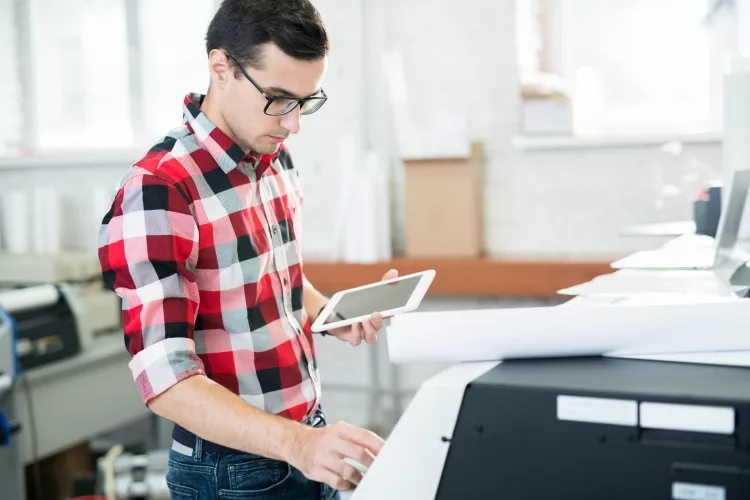
Free printables are digital files — usually PDFs or high-resolution JPGs — that you download and print yourself. They cover everything from wall art and party decorations to meal planners, coloring pages, and educational worksheets. Once you understand the basics, your home printer becomes a creative powerhouse that saves you money on every project.
Chris & Marry have tested dozens of printers and paper types across every printable category imaginable. Below, you will find everything we have learned distilled into one practical guide.
Contents
- What Exactly Is a Free Printable — and What Can You Use It For?
- The Real Benefits and Honest Trade-offs of Printing at Home
- How to Print Free Printables at Home — Step by Step
- Busting the Biggest Myths About Free Printables
- Mistakes That Ruin Your Printables (And How to Avoid Them)
- Tips That Make Every Printable Look Its Best
- Frequently Asked Questions
- Final Thoughts
What Exactly Is a Free Printable — and What Can You Use It For?
A free printable is a ready-made digital file designed to be printed at home. Designers share them through blogs, Etsy freebies, Pinterest, and creative communities — no purchase required. You download the file, open it, hit print, and you have a finished product in minutes.
Common Types of Free Printables
- Home organization — chore charts, cleaning schedules, grocery lists
- Party decorations — banners, favor tags, cupcake toppers, invitations
- Wall art — inspirational quotes, botanical prints, nursery art
- Educational materials — worksheets, flashcards, alphabet pages, math drills
- Planning and productivity — weekly planners, habit trackers, budget sheets
- Crafts and hobbies — coloring pages, scrapbook elements, gift tags
If you love paper crafting, you will definitely want to check out our guide on how to print digital scrapbook paper easily — the techniques overlap more than you would expect.
Who Benefits Most from Free Printables
Free printables are a smart tool for:
- Parents and teachers looking for classroom-ready content
- Crafters and DIYers who want custom decorations on a budget
- Small business owners creating branded signage or price tags
- Anyone who wants personalized home décor without paying designer prices
Browse our art and craft printer category for printer recommendations built specifically for creative projects like these.
The Real Benefits and Honest Trade-offs of Printing at Home
Before you dive in, it helps to know what home printing does well — and where it has real limits. Here is an honest breakdown.
Why Home Printing Works Great
- Zero cost on the design — you only pay for paper and ink
- Print as many copies as you need, whenever you need them
- Resize files to fit your exact frame or project dimensions
- Instant gratification — no shipping, no waiting
- Full control over paper type, finish, and color settings
Where It Falls Short
- Ink costs add up fast, especially for full-bleed color prints
- Consumer printers rarely match professional print-shop color accuracy
- Large-format prints (bigger than 8.5×11 in) require a specialty printer
- Low-resolution free files look fine on screen but print poorly
| Print Type | Best For | Paper Recommended | Ink Type |
|---|---|---|---|
| Wall art / décor | Framed prints, gallery walls | Matte photo paper or cardstock | Inkjet color |
| Party decorations | Banners, tags, signs | Heavy cardstock (65–110 lb) | Inkjet or laser |
| Planners / worksheets | Daily use, writing on | Standard copy paper (20 lb) | Laser or inkjet |
| Coloring pages | Kids' activities, stress relief | Smooth white copy paper | Black ink only |
| Scrapbook elements | Albums, journals, crafts | Acid-free cardstock | Pigment-based inkjet |
How to Print Free Printables at Home — Step by Step
Ready to get started? Here is the exact process we use every time for clean, vibrant results.
What You Need Before You Start
- A working inkjet or laser printer with fresh ink or toner
- The correct paper for your project (see table above)
- A PDF reader — Adobe Acrobat Reader is free and handles printable PDFs best
- The downloaded file saved to your computer (not just opened in a browser tab)
The Printing Process, Start to Finish
- Download and save the file. Always save to your desktop or a dedicated folder. Do not print directly from a browser — it compresses quality.
- Open in a dedicated PDF viewer. Adobe Acrobat Reader gives you the most control over print settings. Avoid Preview (Mac) or Edge (Windows) for anything color-critical.
- Check the file resolution. The file should be at least 300 DPI (dots per inch) for sharp results. Many free printables list this in their description.
- Load the right paper. Match your paper type to the project. Load it according to your printer's feed direction — check your manual if unsure.
- Open Print Settings. Go to File → Print, then click "Properties" or "Preferences" on the dialog box.
- Set paper size correctly. If the printable is US Letter (8.5×11 in), make sure your printer is set to US Letter — not A4. A mismatch causes cropping.
- Choose print quality. Select "Best" or "High Quality" for art and décor. Use "Draft" or "Normal" for everyday planners and worksheets to save ink.
- Disable "Fit to Page" scaling unless you intentionally want to resize. Most printables are designed for exact dimensions.
- Do a test print on plain paper first. Hold the test page over your good paper against a window — check alignment, margins, and color before committing.
- Print your final copy. Let ink-based prints dry flat for 30–60 seconds before stacking.
If your prints look faded or too light, our guide on how to make your printer print darker walks you through every adjustment — from driver settings to ink density.
Busting the Biggest Myths About Free Printables
A few stubborn myths stop people from getting great results. Let's clear them up right now.
Myth 1: Free Means Low Quality
False. Thousands of professional designers offer free printables as lead magnets or portfolio samples. Many are identical in quality to paid products. The file resolution and your printer settings determine quality — not the price tag.
Myth 2: You Need a Photo Printer for Colorful Printables
Not necessarily. A standard inkjet printer handles most printables beautifully. A photo printer gives you an edge with wall art and anything you plan to frame, but it is not required for party decorations, planners, or worksheets.
Myth 3: Bigger Files Always Print Better
File size and print quality are not the same thing. A 10 MB JPEG can still print poorly if it was designed at 72 DPI. What matters is the DPI at your target print size — 300 DPI minimum, 600 DPI for the sharpest results.
Myth 4: Any Paper Works Fine
This is the most expensive myth to believe. Using copy paper for a piece you plan to frame wastes your ink and your time. The right paper transforms an average print into something that looks store-bought.
Mistakes That Ruin Your Printables (And How to Avoid Them)
Setup and Settings Mistakes
- Printing from the browser tab — browsers compress images. Always download first, then open in a proper viewer.
- Wrong paper size selected — US Letter vs. A4 causes edges to get cut off. Double-check before every print.
- Leaving "Fit to Page" on — this shrinks or stretches your printable, ruining designs with specific margins or bleed areas.
- Printing on the wrong side of photo paper — photo paper has a coated side. Load it correctly or your print will smear.
- Skipping the test print — one sheet of copy paper saves a sheet of expensive cardstock. Always test first.
File and Format Mistakes
- Downloading the small "preview" image instead of the full-resolution file
- Using a screenshot of the printable instead of the actual download link
- Opening a PDF in a browser and printing from there (loses quality control)
- Ignoring the designer's recommended paper size — especially with multi-page planners
Tips That Make Every Printable Look Its Best
Paper and Ink Tips
- Use matte photo paper or heavyweight cardstock for anything you plan to display or laminate — it holds color far better than copy paper.
- For black-and-white worksheets and planners, plain copy paper is perfect and keeps ink costs low.
- Keep your printhead clean. Run your printer's built-in cleaning cycle if you see streaks or banding — especially after your printer has sat unused for a week or more.
- Store paper in its original packaging until use. Humidity warps paper and causes feed jams.
- If you print a lot of full-color art, consider compatible third-party ink cartridges from a reputable brand to reduce cost without sacrificing too much quality.
Finish and Presentation Tips
- Laminate frequently touched items like chore charts, kids' activity mats, and recipe cards to make them wipe-clean and durable.
- Use a paper trimmer instead of scissors for perfectly straight edges on tags and cards.
- Let inkjet prints dry completely before laminating — at least 10 minutes, longer for dark full-bleed designs.
- Frame wall art with a mat board to give it a finished, gallery-quality look without spending much.
- For party banners and decorations, print on cardstock and use a hole punch plus twine for an easy, professional finish.
Frequently Asked Questions
What is the best file format for printing free printables?
PDF is the best format for home printing. It preserves exact dimensions, fonts, and colors without any compression loss. If a printable is only available as a JPG, make sure it is at least 300 DPI at your intended print size before you print it.
Can I resize a free printable without losing quality?
You can scale down without any quality loss. Scaling up is riskier — enlarging a 300 DPI file designed for 8.5×11 in to a larger size reduces the effective DPI and softens the image. For bigger prints, always look for a high-resolution version of the file first.
Do I need a special printer to print free printables at home?
No special printer is required for most printables. A standard inkjet printer handles wall art, party decorations, and planners well. If you print frequently or want laser-sharp text on worksheets and planners, a laser printer is a worthwhile upgrade for long-term savings.
Why do my printables look different on screen than they do printed?
Screens display colors in RGB (light-based) while printers use CMYK (ink-based). This shift is normal and unavoidable on home printers. To minimize the gap, use your printer's "Photo" or "Best Quality" setting, calibrate your monitor if possible, and always do a test print before printing on premium paper.
Final Thoughts
Now that you know exactly how to print free printables at home — from choosing the right file format to picking the best paper — there is nothing stopping you from getting professional-looking results on your very next print. Start with one project today: download a free printable that fits your next craft or planning need, run a quick test print, and see the difference the right settings make. Once you nail it, you will never go back to paying store prices for something you can create at home for pennies.



About Chris & Marry
Chris and Mary are a couple with a shared background in graphic design and print production who have spent years working with printers across creative and professional contexts — from art printing and photo output to label production and professional document work. Their combined experience evaluating printer performance, color accuracy, and paper handling across inkjet and laser platforms gives them a practical, hands-on perspective on what makes a printer worth buying. At ShopChrisAndMary, they cover printer reviews, buying guides, and recommendations for artists, photographers, and professional users.
Time to get FREE Gifts. Or latest Free printers here.
Disable Ad block to reveal all the info. Once done, hit a button below